AI declutter: see the room without the mess
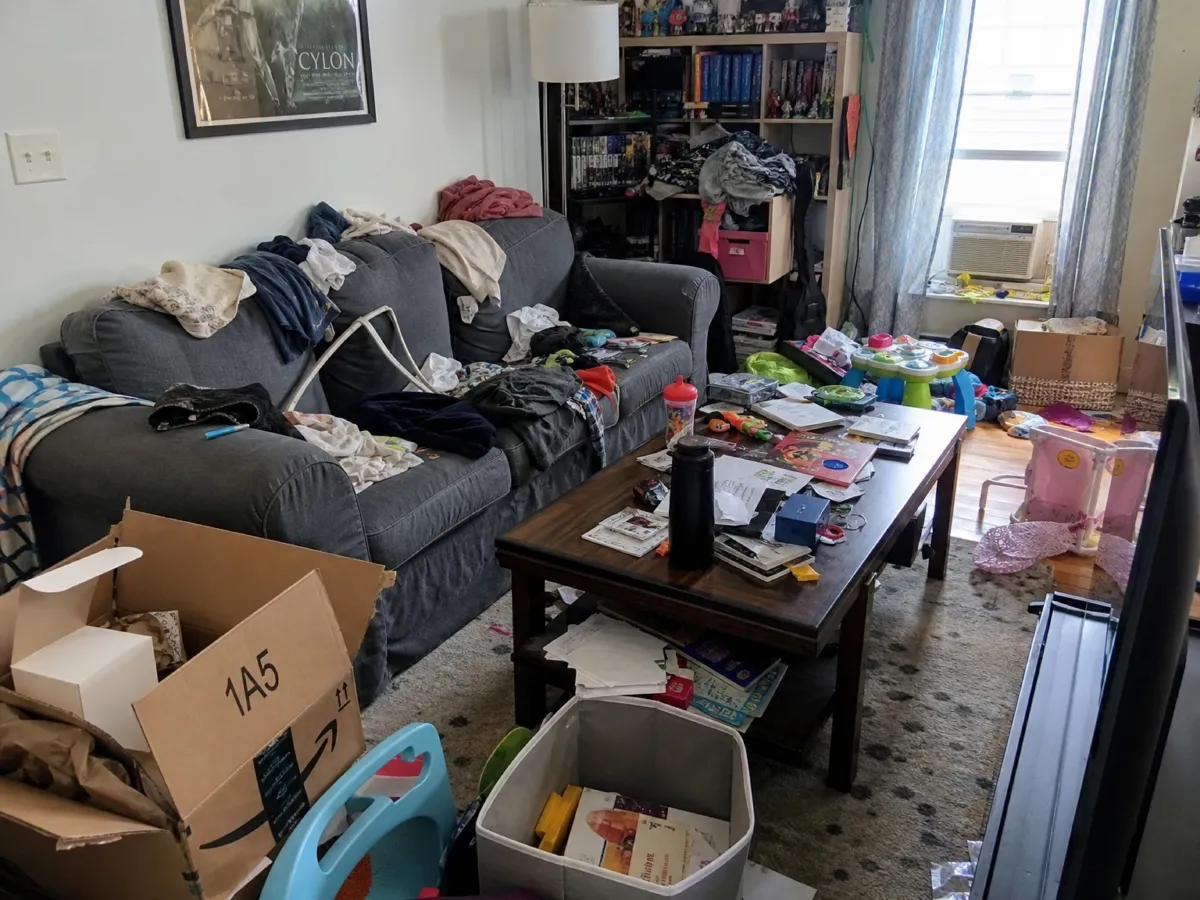
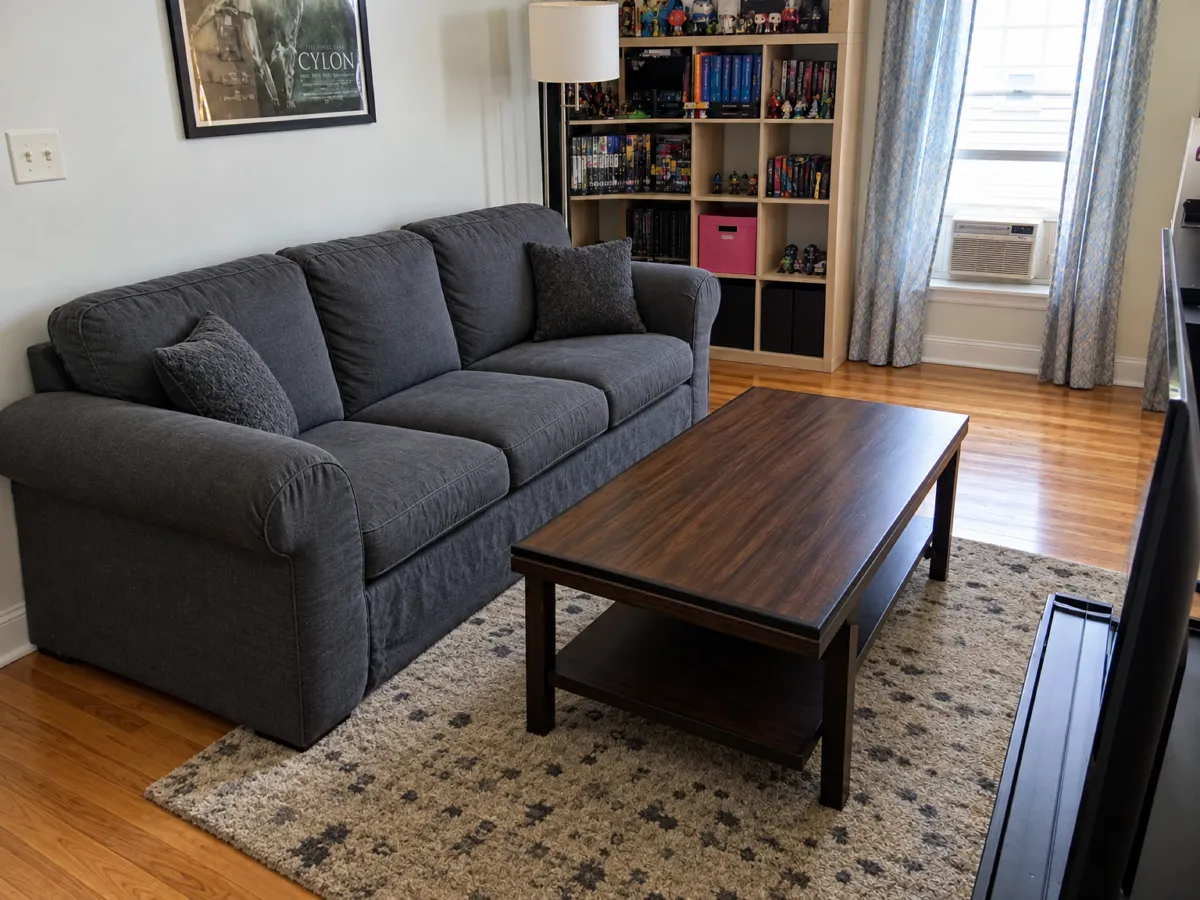
Boxes, toys, a pile of clothes on the sofa. Upload the photo and ask to clear it. Renderist takes the things away and rebuilds the floor and wall that were behind them. You can also name one single object to remove.
No credit card. Sign up now, your renders wait for you at launch.
How it works
-
1
Upload the messy photo
You do not have to tidy first. That is the point.
-
2
Say what goes
Write "remove everything on the floor" or "remove the green armchair". Be exact about what stays.
-
3
Check the empty spots
Look at the floor and wall where things stood. Ask again if the patch looks wrong.
What you get
Plan before you clear out
See how the room looks with less in it, then decide what to give away or sell.
Cleaner photos for a sale
Take out a bin, a cable or a stack of papers, so the room is what people look at.
One object or a whole room
Remove a single lamp, or clear every loose thing, in the same chat.
What you could write
- Remove all the clothes, boxes and toys.
- Remove only the green armchair.
- Clear the floor but leave the sofa and the table.
- Take out the plastic bin near the door.
We never train AI on your images.
Questions and answers
What appears behind a removed object?
Renderist makes a guess for the floor and wall, based on what is around it. It is a picture, so the patch may not match the real surface.
Can I use declutter pictures in a listing?
Only if you label them as AI edited and show the real state. Removing real damage from a photo would mislead buyers.
Can I remove furniture, not only small things?
Yes. Name the piece, for example "remove the wardrobe on the left", and the wall behind is rebuilt.
Does it keep the rest of the room?
Yes. Walls, windows, doors and the camera angle stay the same.

Look at your room as if the clutter was already gone.
No credit card. Sign up now, your renders wait for you at launch.