AI kitchen design that keeps your layout
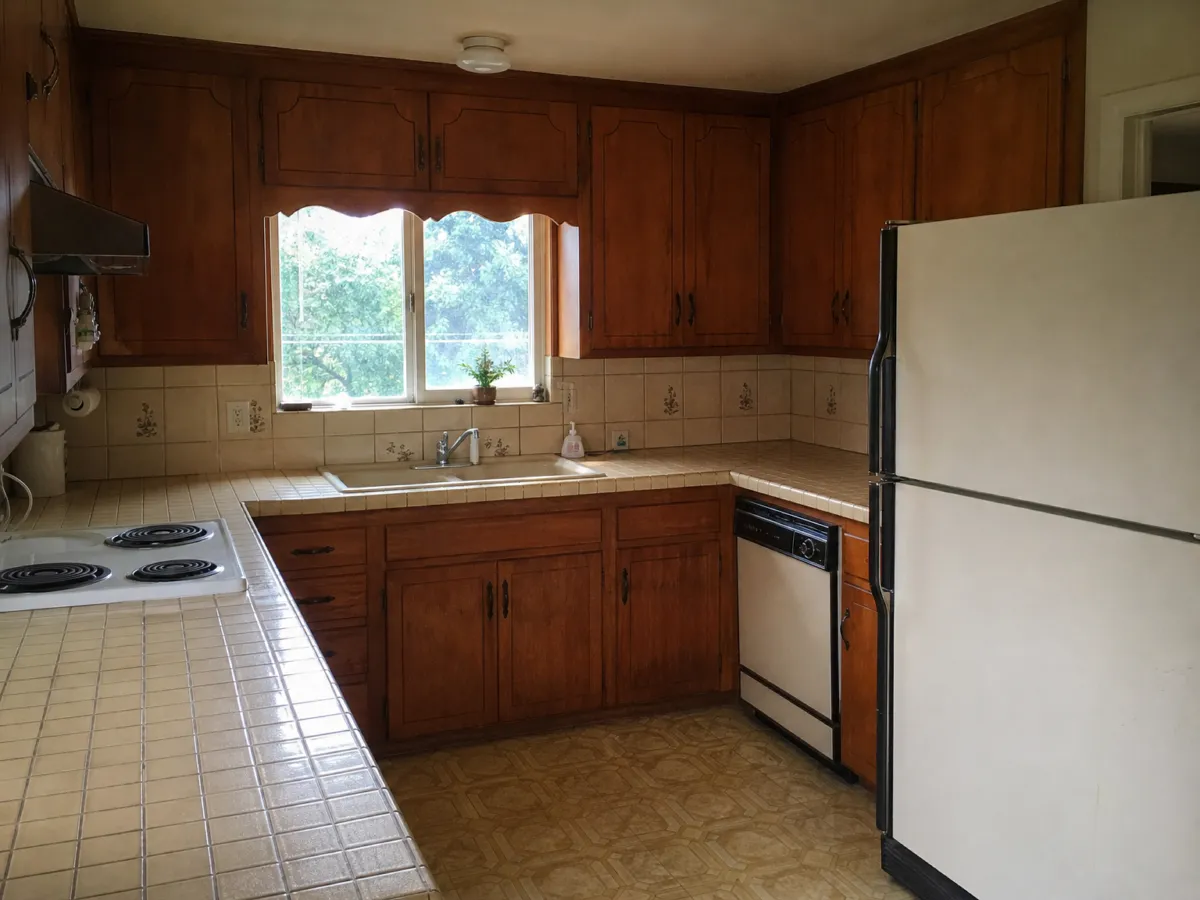
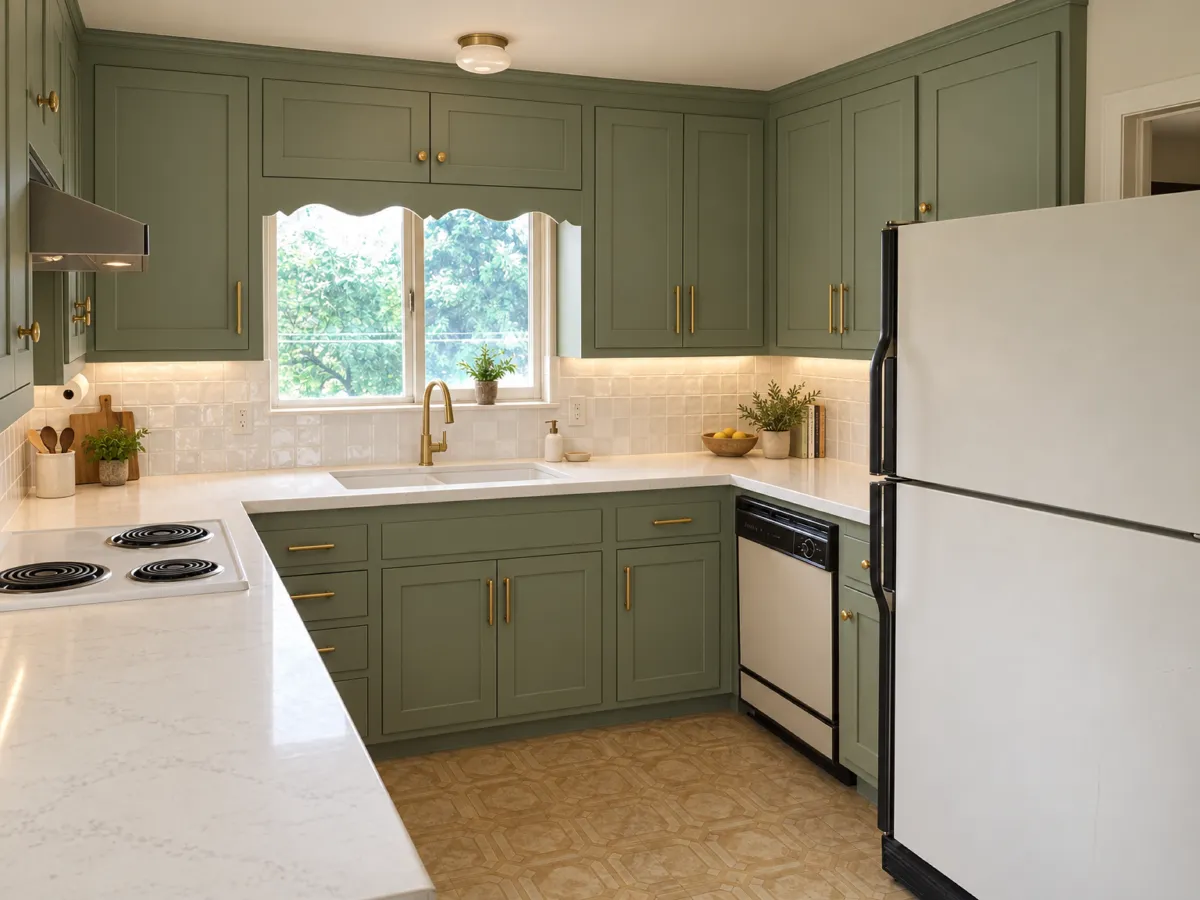
A new kitchen is a big decision. Upload a photo of yours and describe the new fronts, worktop, backsplash and floor. Sink, hob and windows stay where they are, so you judge the look and not a different room.
No credit card. Sign up now, your renders wait for you at launch.
How it works
-
1
Photograph the kitchen
Show the cabinets and the wall above the worktop. Open doors and clear the counter if you can.
-
2
Describe the new finish
Fronts, worktop, backsplash, floor, handles. Write them in one message or in several.
-
3
Compare combinations
Try dark fronts, then light ones. On Pro and Studio, show several styles side by side.
What you get
Colors and materials together
Green fronts can look great or odd next to your floor. See the mix before you order.
The same layout
The sink, the hob and the windows stay put. You compare finishes, not floor plans.
A picture for the showroom
Bring it to a kitchen studio so the person helping you knows what you like.
What you could write
- Sage green fronts with brass handles.
- White quartz worktop and white zellige tiles above it.
- Replace the orange cabinets with matte black ones.
- Light oak floor, keep everything else.
We never train AI on your images.
Questions and answers
Does it plan the kitchen or measure it?
No. It is a visual idea only. There are no measures, no parts list and no check that cabinets or appliances fit.
Can I get a price for these cabinets?
No. Renderist shows a look and does not give costs or name real kitchen products.
Will the sink and the hob move?
No, unless you ask. The layout, the windows and the doors stay as in your photo.
Can I keep my old floor?
Yes. Say "keep the floor" and change only the fronts or the worktop.
See the kitchen you want before you talk to a fitter.
No credit card. Sign up now, your renders wait for you at launch.