Floor plan to 3D: see the rooms, not just the lines
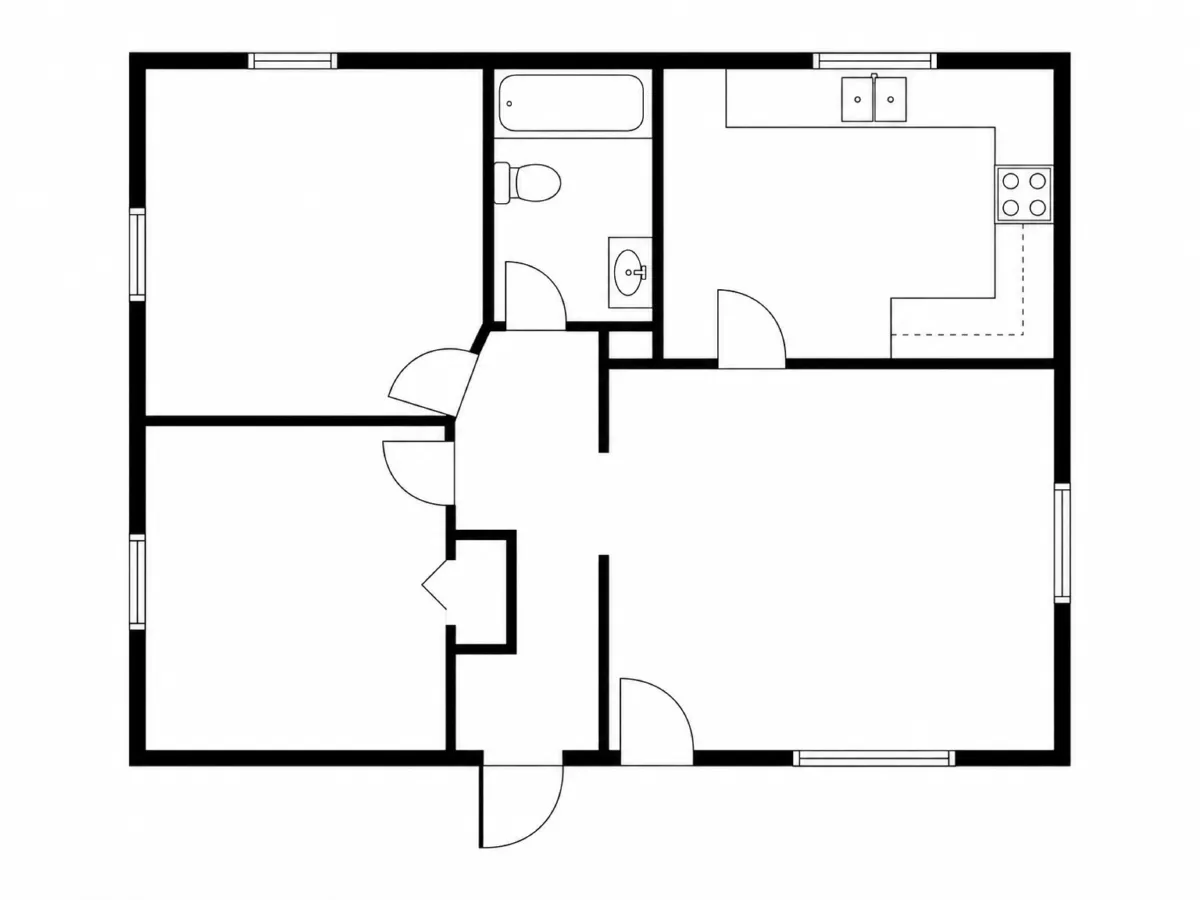
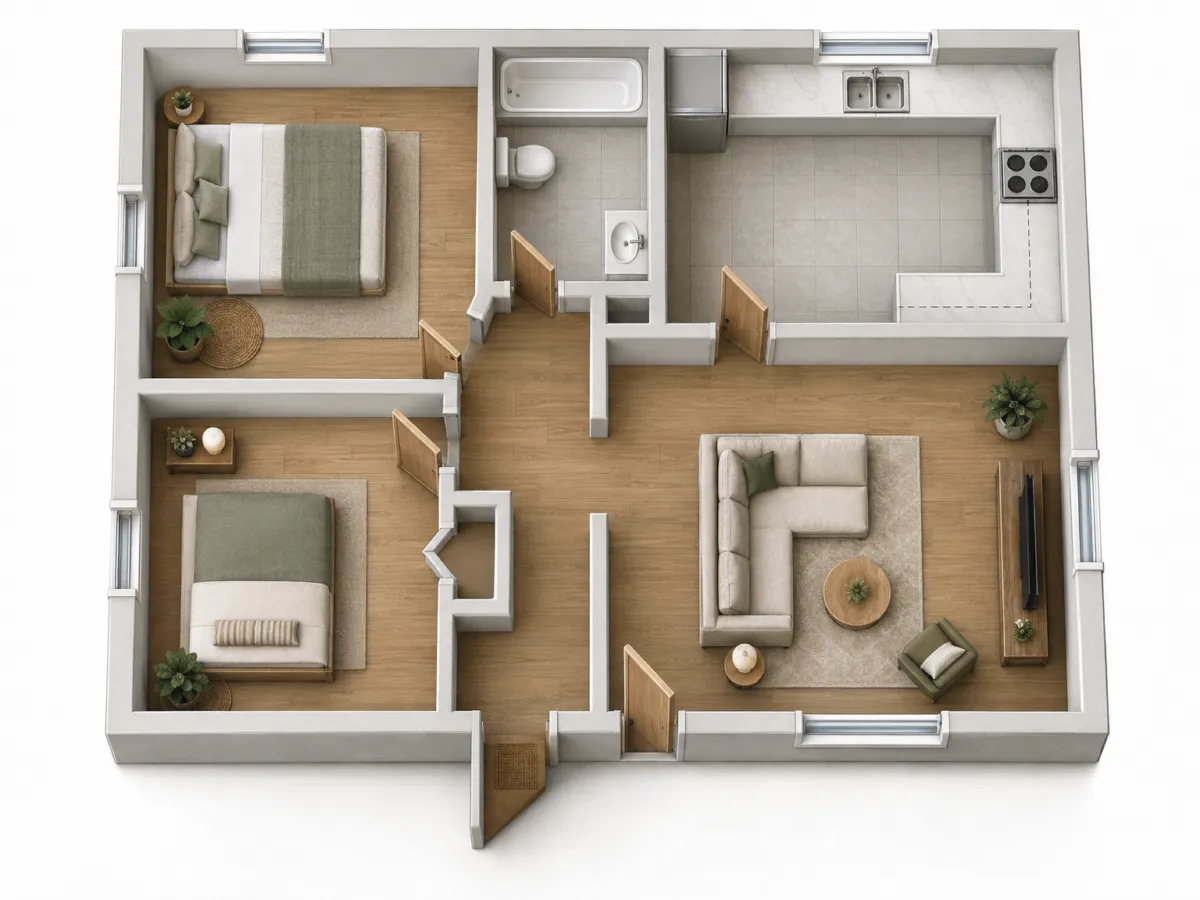
Upload a 2D floor plan and get a top-down 3D picture of it. The rooms stay in the same places. Floors, walls and furniture make the layout easy to read, even for someone who never reads plans.
No credit card. Sign up now, your renders wait for you at launch.
How it works
-
1
Upload the plan
A clean image of the plan works best: a PDF export saved as an image, a screenshot or a sharp photo.
-
2
Set the mood
Say what the rooms should look like: "oak floors, white walls, simple modern furniture".
-
3
Refine it
Ask for a darker floor or a bigger sofa in the living room. The layout stays as drawn.
What you get
Plans people can read
Buyers and clients often struggle with lines and door swings. A 3D view shows them how the rooms fit together.
Same rooms, same places
Renderist follows your drawing. It does not move walls or invent new rooms.
Quick style options
Show the same plan with light or dark finishes, so the talk moves on from the layout to the feel of the home.
What you could write
- Make it 3D with oak floors and white walls.
- Add simple furniture to every room.
- Use grey tiles in the kitchen and bathroom.
- Make the furniture more modern and lighter.
We never train AI on your images.
Questions and answers
Do I get a real 3D model?
No. You get an image of the plan from above. It is not a 3D file you can open, walk through or edit in CAD.
Is the 3D view to scale?
It follows your layout, but it is a picture and not a measured drawing. Do not take sizes from it.
Which plans work best?
Clean plans with clear walls and door openings. A blurry photo of an old paper plan may give a weaker result.
What does it cost to try?
You get 5 free renders when you sign up, with no credit card. Free renders have a small watermark.

Give your plan a shape people can see.
No credit card. Sign up now, your renders wait for you at launch.